1. BitMart website (www.bitmart.com)にログイン
2. Securityの部分をEmailしたのドロップダウンボタンから発見できます。
3. Securityという部分をクリックすると、二段階認証を発見することができます。
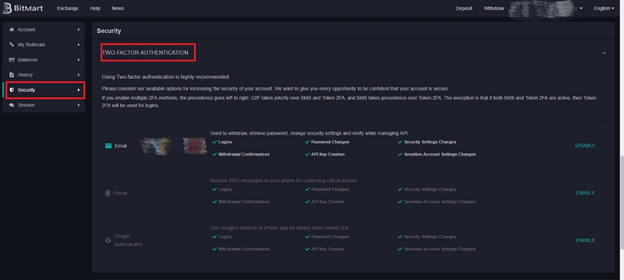
4. 電話のセクションにある、ENABLEというボタンをクリックします。
5. Google Authenticator の列にあるENABLE のボタンをクリックします。
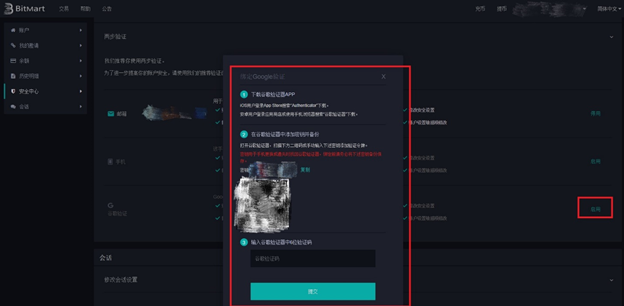
詳しい情報はMore info here: https://support.bitmart.com/hc/en-us/articles/360001861853-Google-Authenticator-Guide
からご覧になれます。
二段階認証に関してのご質問はこちらの記事をチェックしてください。 https://support.bitmart.com/hc/en-us/articles/360001861413-Issues-regarding-Google-2FA
また問題を発見した場合などは [email protected] へメールするか、こちらのフォームにご記入ください。 (https://support.bitmart.com/hc/en-us/requests/new).